KhoraBuild log1 min read
Notebooks and Unbind & explore
Khora notebooks keep your notes in order, as a leather-bound book whose pages turn as you write and which reads your writing as it goes. Unbind it, and the notebook opens into a graph of your notes and the ideas, books and beliefs they share. Close the graph and the book binds again.
Status: Building
- Notebooks hold your notes. Every note belongs to a notebook, and a notebook reads as one continuous book of its notes, in order. Older saves move into a first notebook called Journal, so nothing is lost.
- A shelf to choose from. Notes opens on a shelf of leather volumes, each in its own colour and thicker the more is written in it. The last one opened is marked, and an empty slot at the end starts a new notebook.
- Writing and Book views. A toggle switches between the plain editor and the notebook as a 3D leather book. The book opens from closed and turns to your note. Typing past the foot of a page turns it, and a note’s title never sits alone at the bottom of a page.
- Made in the browser. The leather, foxed paper and ragged page edges are all generated in the browser, with no image files. The pages are real HTML, so the caret, text selection and spellcheck behave normally.
- Highlights. The same readings the Writing view finds are underlined in the book in their colours. Hovering one opens a card with the concept, its tradition, the question it raises and a work to read against it.
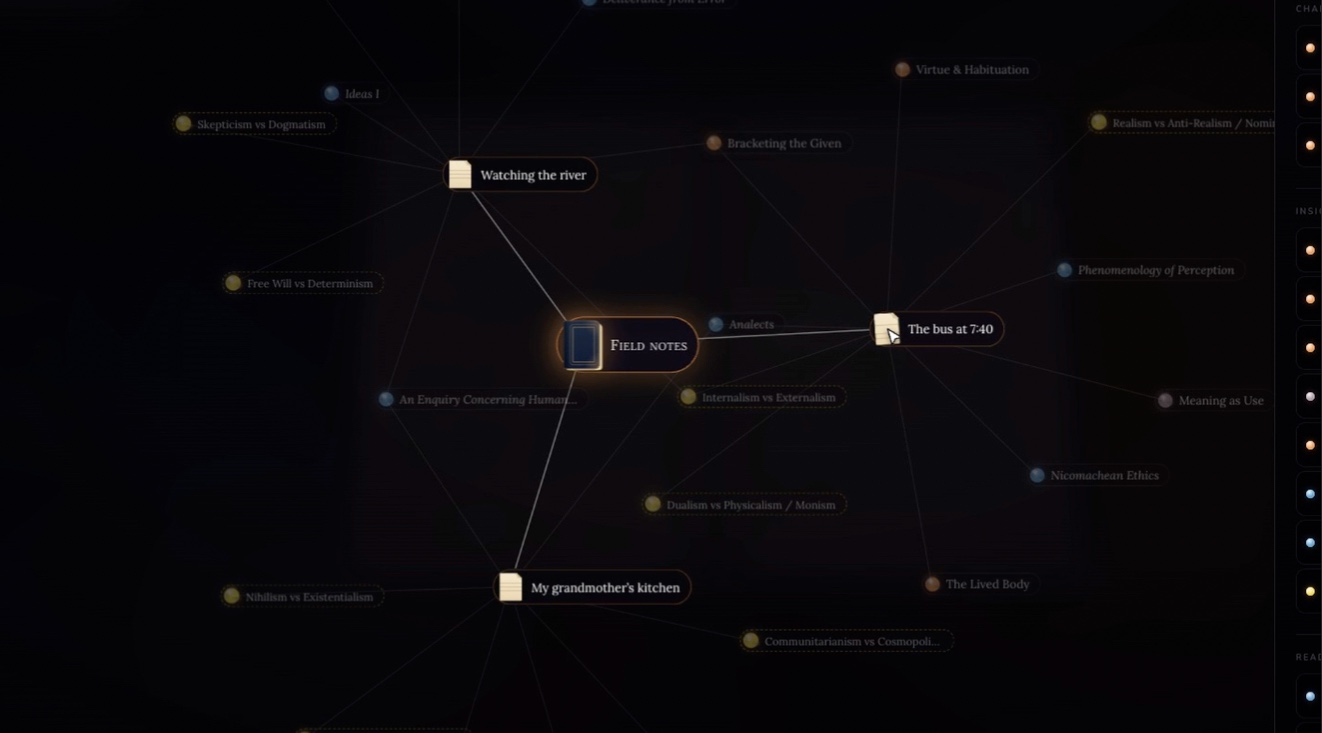
- Unbind & explore. The two halves of the book drift apart, and the notebook comes back as a graph. The notebook sits at the centre, each note around it as a sheet of ruled paper, joined through the insights, readings and beliefs they share. It works in 2D and 3D, and closing the graph binds the book again.
- Sample library. Four sample notebooks (Journal, Field notes, Letters never sent, Commonplace book) ship with the prototype, written so the readings find something in every one.